SMS Template
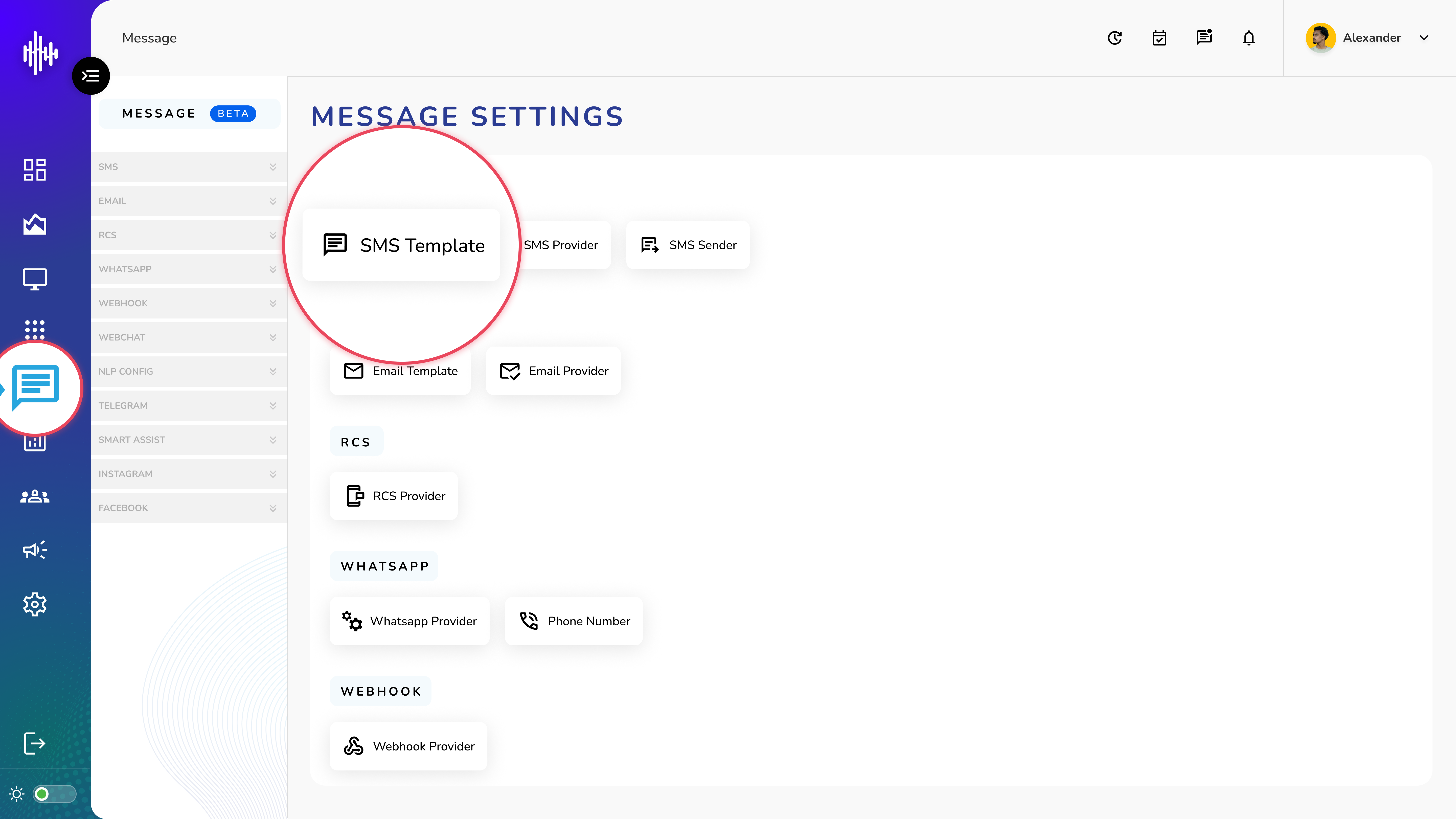
1. Login to your admin account
2. Click "Message" from the left side menu
3. Click “SMS Template” to access the SMS Template's details.
SMS Template Management
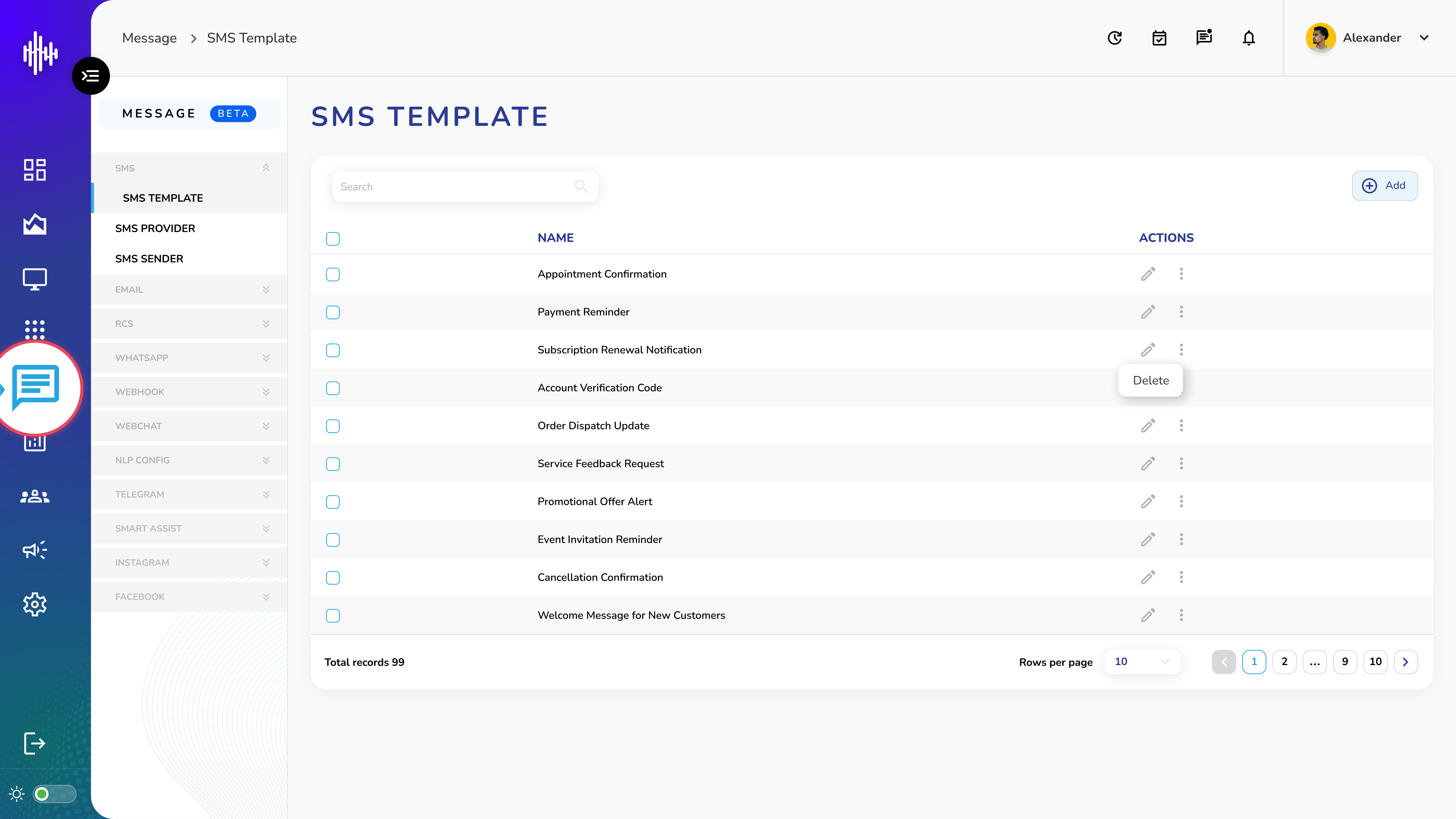
1. SMS Template Screen Elements
| Column | Description |
|---|---|
| Name | Template identifier |
| Actions | Edit (pencil) / Delete (three dots) |
2. Features
a. Search functionality (top-left)
b. "+Add" button (top-right)
c. Template list with actions
d. Pagination controls
e. Rows per page selector
3. Navigation
a. Adjustable display (10 records default)
b. Page navigation
c. Total records counter
Add SMS Template Guide
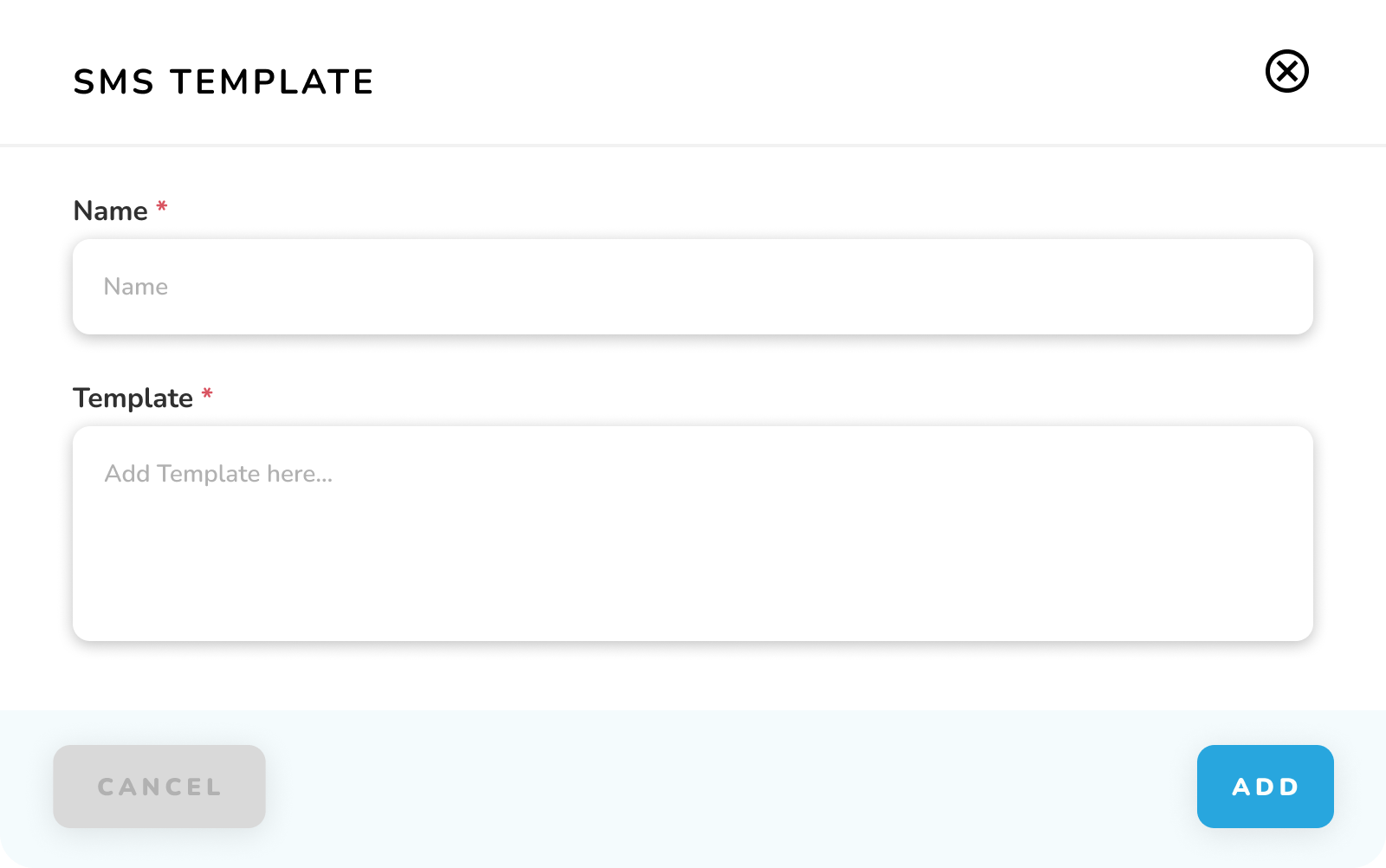
1. Required Fields
| Field | Required | Description |
|---|---|---|
| Name | * | Template identifier |
| Template | * | Message content |
2. Actions
a. CANCEL: Exit without saving
b. ADD: Create template
Important Notes:
-
Use clear template names
-
Include placeholders for variables
-
Keep messages concise
-
Test template before saving
-
Verify character limits