SMS Provider
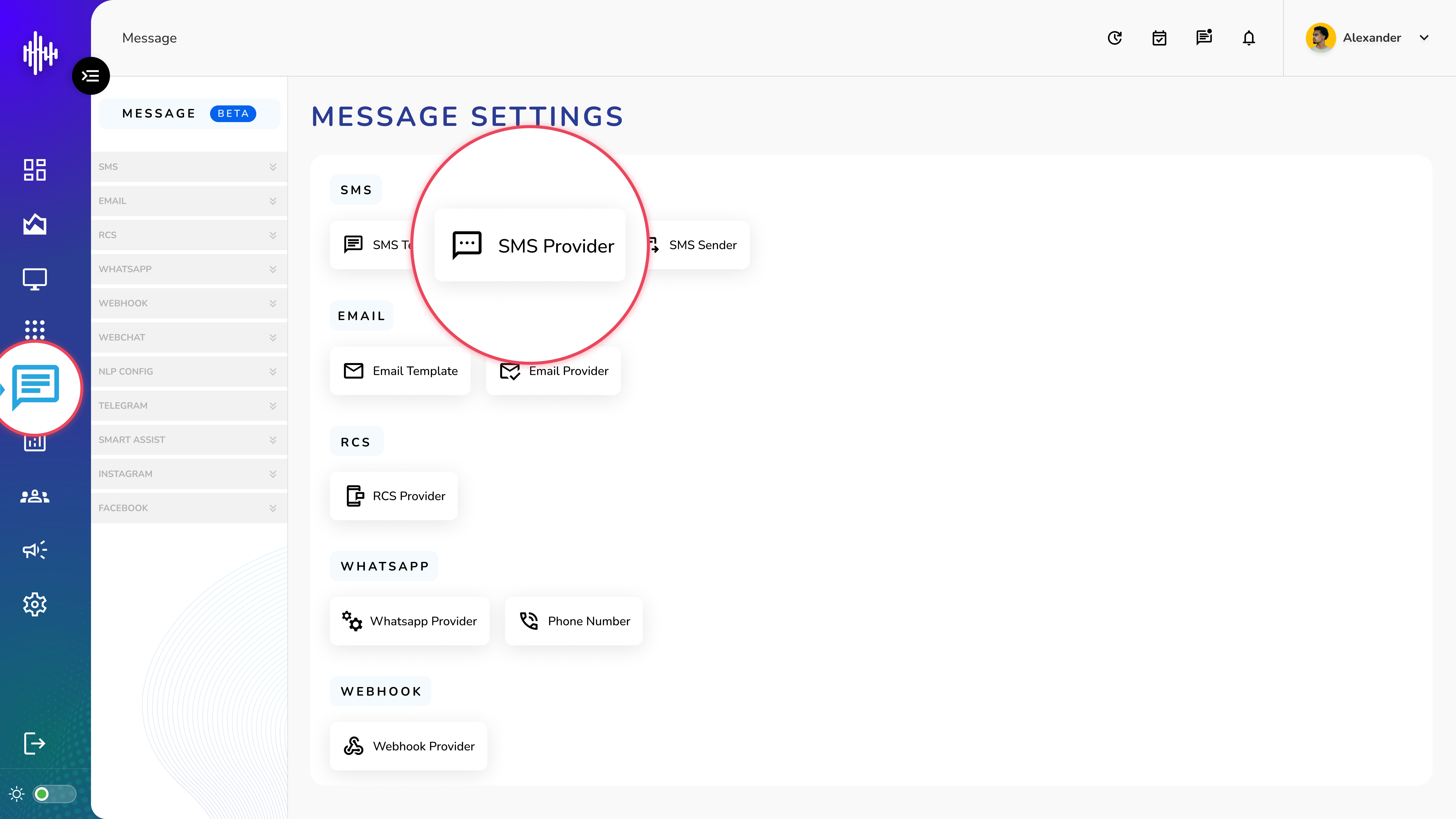
1. Login to your admin account
2. Click "Message" from the left side menu
3. Click “SMS Provider” to access the SMS Provider's details.
SMS Provider Management
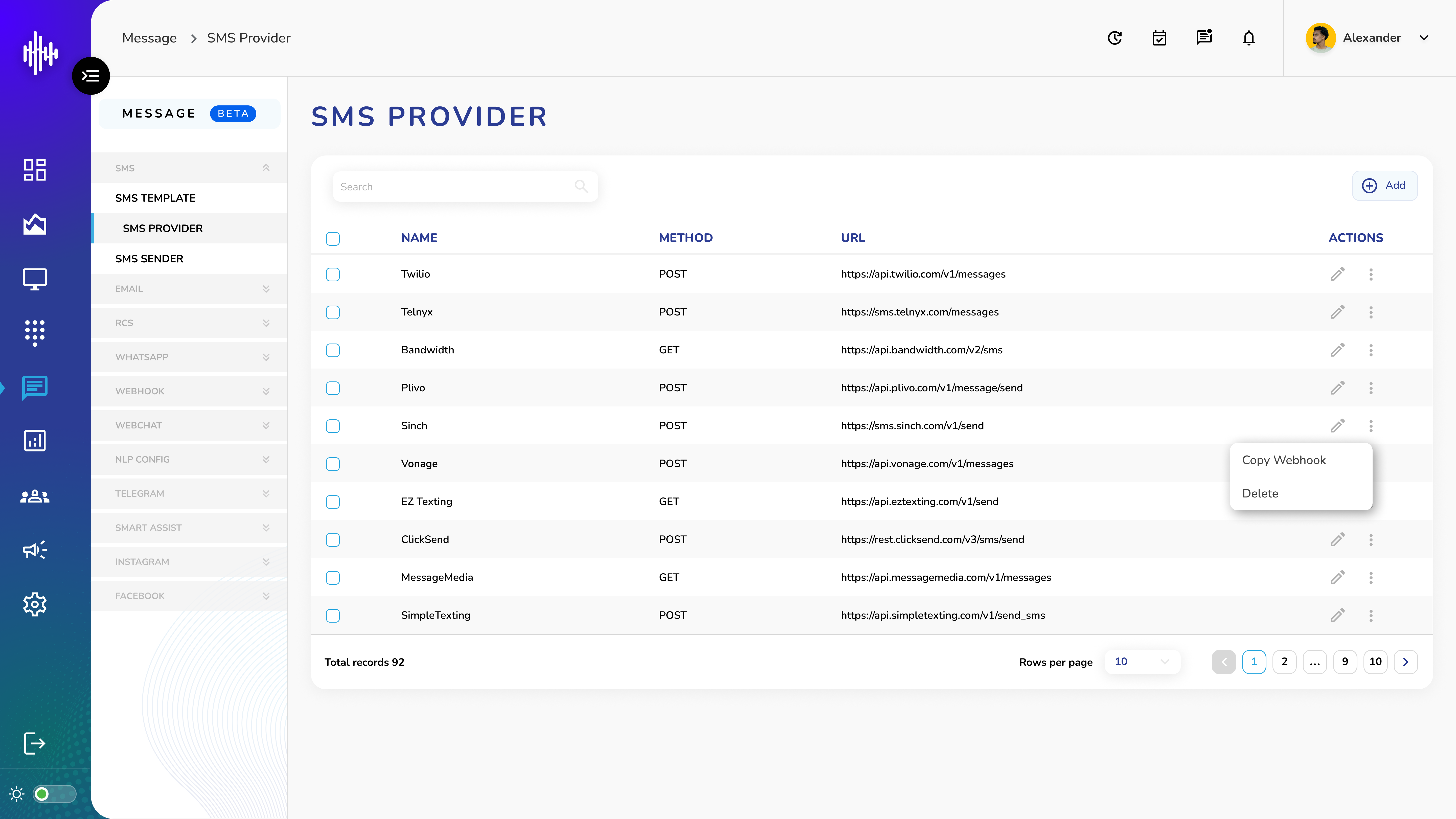
1. SMS Provider Screen Elements
| Column | Description |
|---|---|
| Name | Provider identifier |
| Method | HTTP method (GET/POST) |
| URL | API endpoint URL |
2. Features
a. Search bar (top-left)
b. "+Add" button (top-right)
c. Actions:
i. Edit (pencil icon)
ii. Three dots menu:
1. Copy Webhook
2. Delete provider
d. Pagination with configurable rows
e. Total records display
3. Navigation
a. Rows per page: 10 default
b. Page navigation
c. Record count shown
Important Notes:
-
Verify API endpoints
-
Test webhooks before saving
-
Secure provider credentials
-
Monitor URL uptime
Add SMS Provider Guide
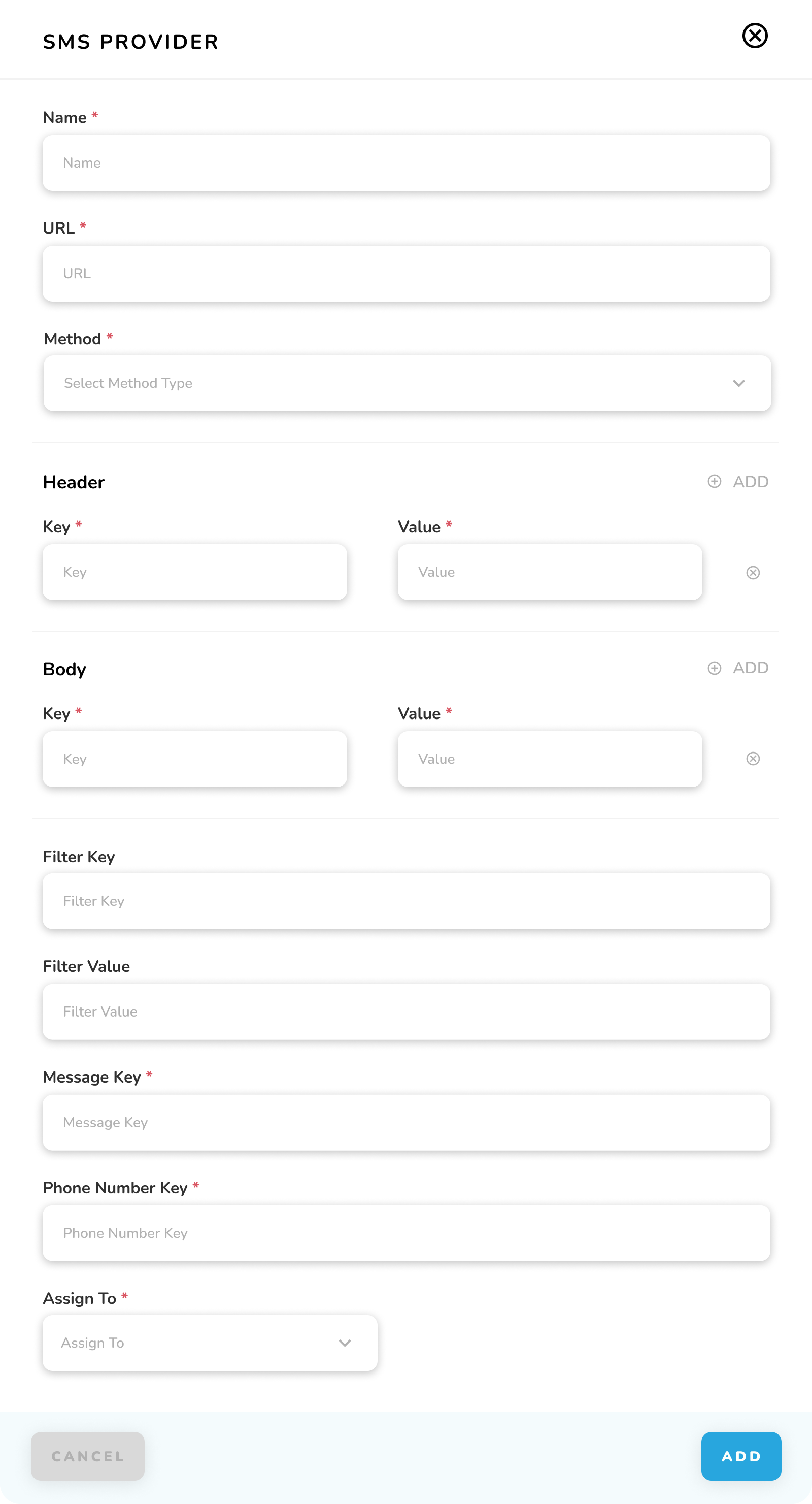
1. Required Fields
| Field | Required | Description |
|---|---|---|
| Name | * | Provider identifier |
| URL | * | API endpoint |
| Method | * | HTTP method (GET/POST) |
| Message Key | * | Message parameter name |
| Phone Number Key | * | Phone number parameter |
| Assign To | * | Routing option |
2. Optional Fields
| Field | Description |
|---|---|
| Header | Request headers (Key-Value) |
| Body | Request body params |
| Filter Key | Response filter key |
| Filter Value | Filter value |
3. Actions
a. CANCEL: Exit without saving
b. ADD: Create provider
Important Notes:
-
Test endpoint before saving
-
Verify API parameters
-
Secure authentication headers
-
Validate message format
-
Test routing configuration