Webhook Provider
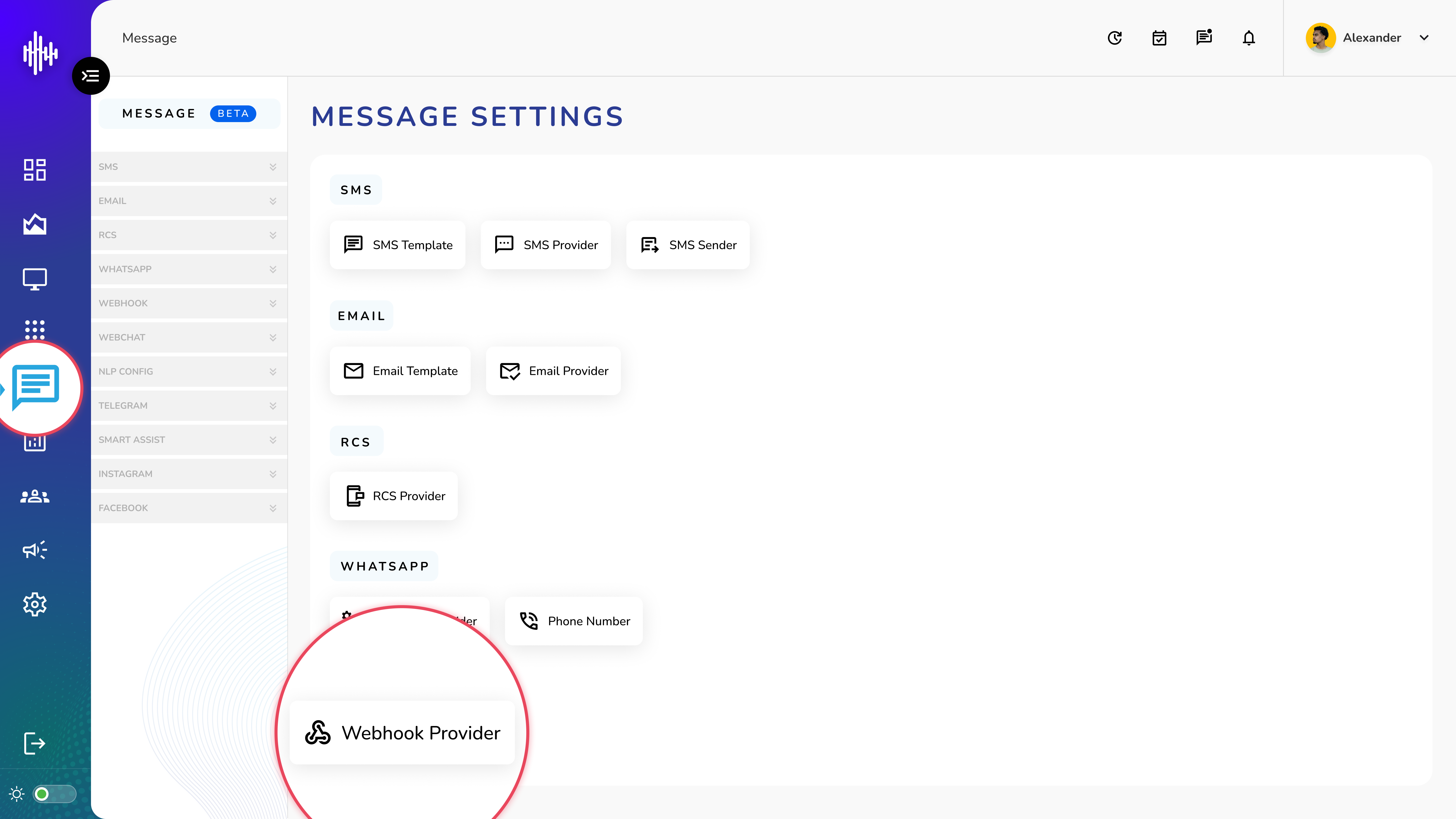
1. Login to your admin account
2. Click "Message" from the left side menu
3. Click “Webhook Provider” to access the Webhook Provider's details.
Webhook Provider Management
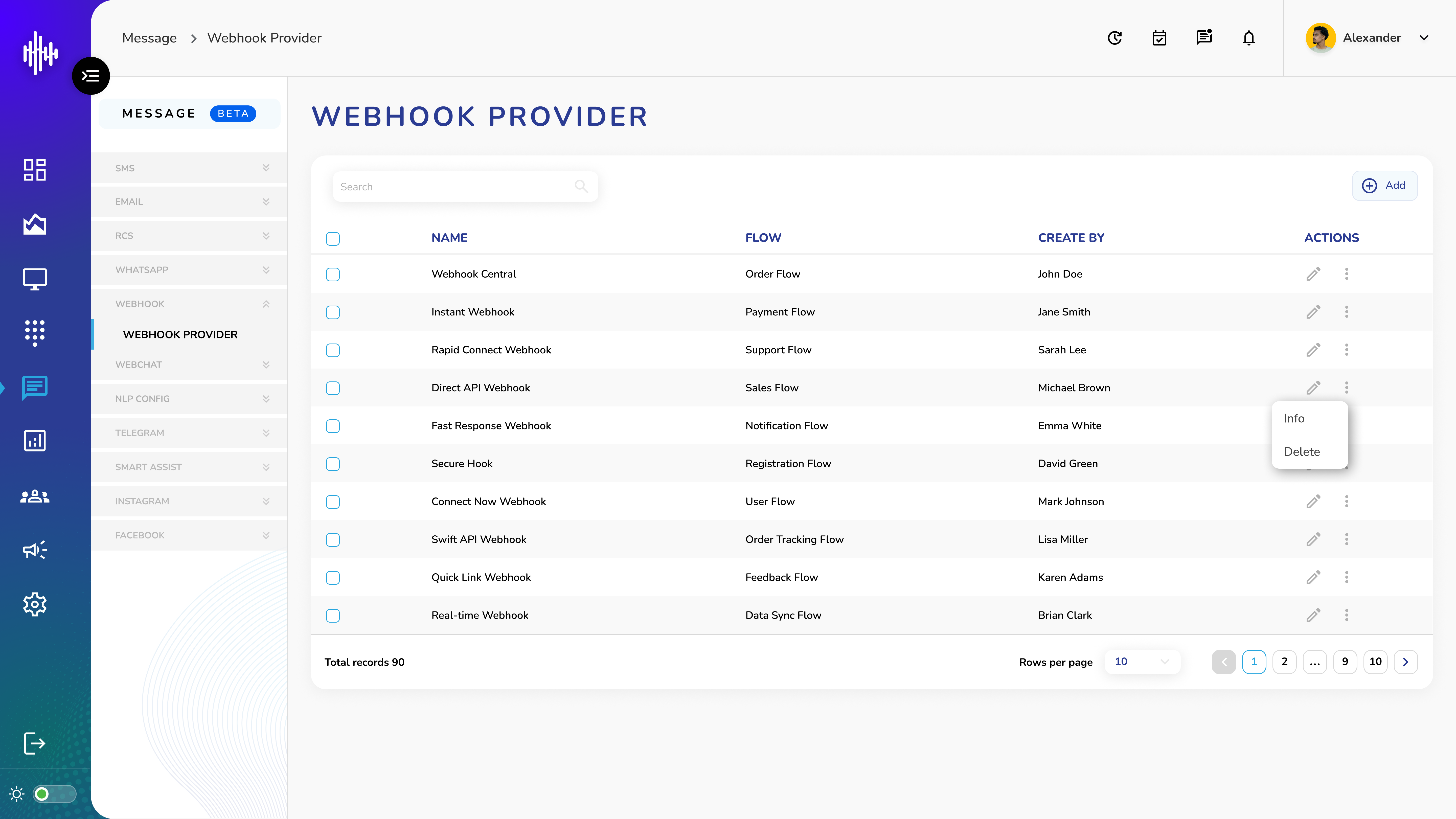
1. Webhook Provider Screen Elements
| Column | Description |
|---|---|
| Name | Webhook identifier |
| Flow | Associated flow name |
| Created By | Creator's name |
2. List Features
a. Top Bar
i. Search functionality
ii. "+Add" button for new webhooks
b. Available Actions
i. Pencil Icon: Edit configuration
ii. Three Dots Menu:
1. Info: View webhook details
2. Delete: Remove webhook
3. Navigation Features
a. Adjustable rows per page
b. Pagination controls
c. Total records counter
Important Notes:
-
Verify flow configuration
-
Test webhook endpoints
-
Secure webhook URLs
-
Monitor webhook status
Add Webhook Provider Guide
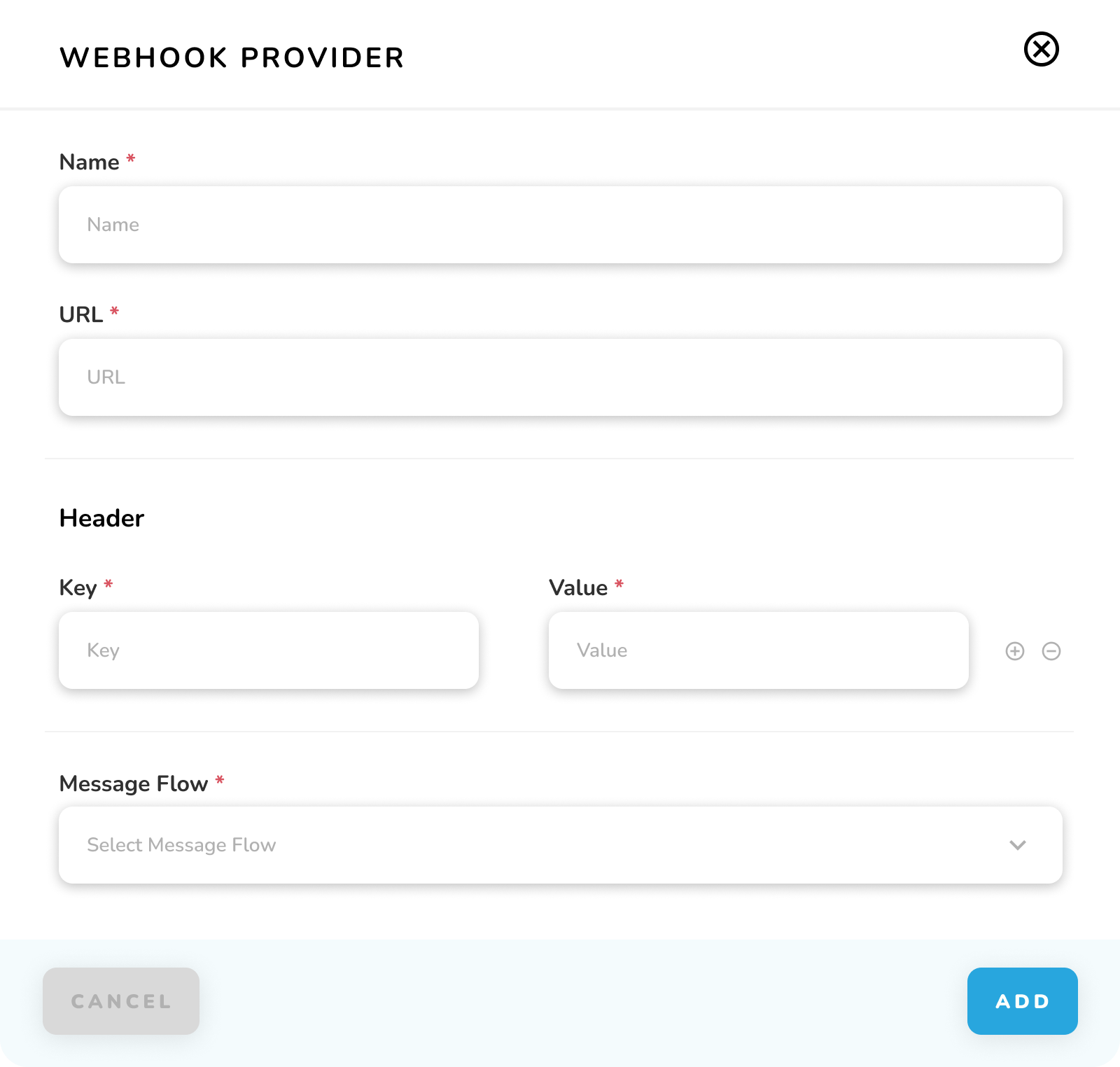
1. Required Fields
| Field | Description | Required |
|---|---|---|
| Name | Webhook identifier | Yes |
| URL | Endpoint URL | Yes |
| Message Flow | Associated flow | Yes |
2. Header Configuration
| Field | Description | Required |
|---|---|---|
| Key | Header parameter name | Yes |
| Value | Header parameter value | Yes |
3. Header Controls
a. Plus (+) icon: Add new header
b. Minus (-) icon: Remove header
c. Multiple headers allowed
4. Message Flow Selection
a. Dropdown menu
b. Select from available flows
c. Routes webhook data to flow
5. Action Buttons
a. CANCEL: Exit without saving
b. ADD: Create webhook
Important Notes:
-
Fields marked with * are mandatory
-
URL must be valid and accessible
-
Headers must be properly formatted
-
Flow must be configured before selecting
Webhook Info Guide
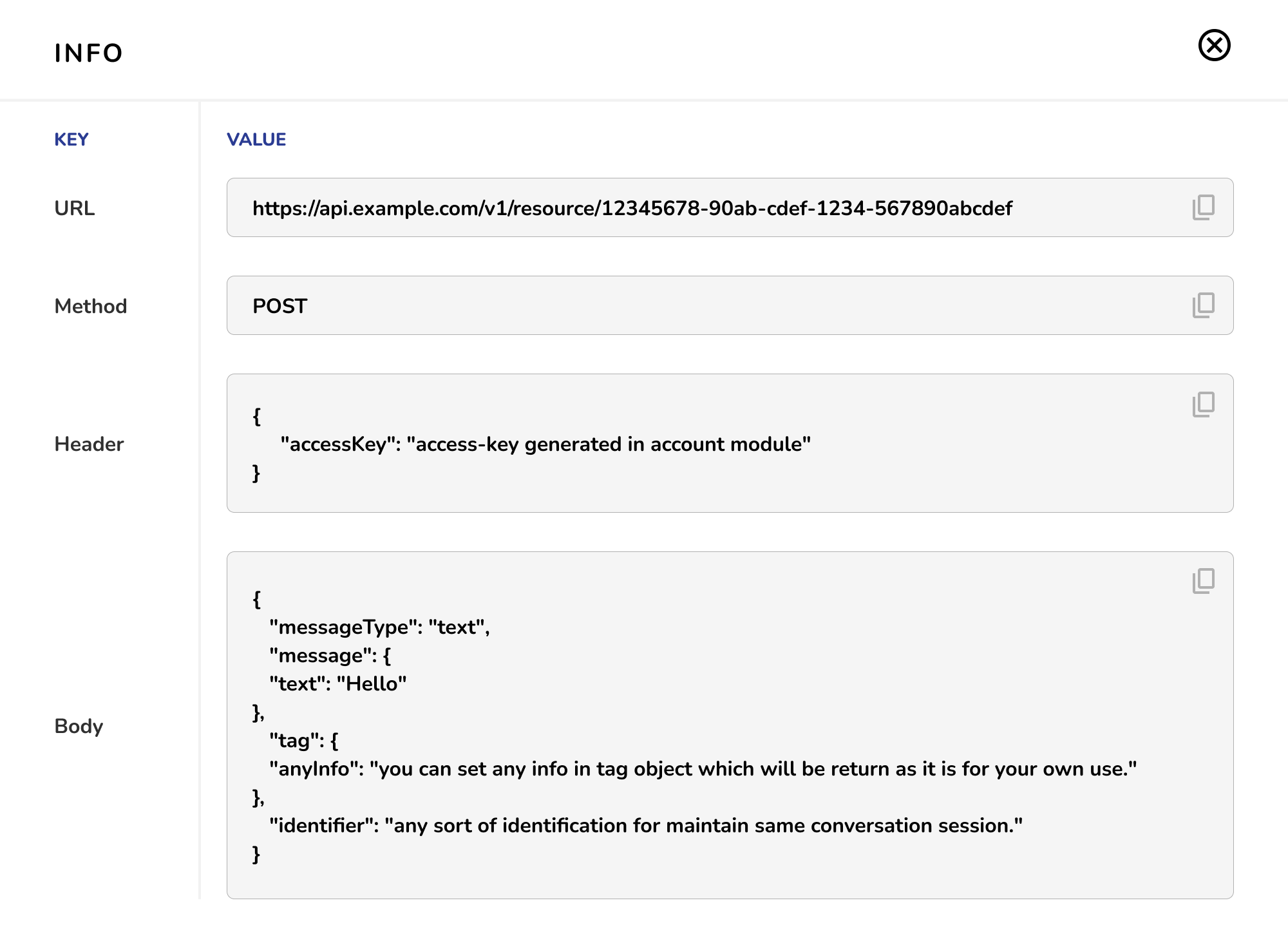
1. Information Display
| Section | Description |
|---|---|
| URL | Endpoint for webhook calls |
| Method | HTTP method used (POST) |
| Header | Authentication and request headers |
| Body | Request body structure and format |
2. Features
a. Copy button for each section
b. View complete request details
c. JSON formatted display
d. Read-only information
Important Notes:
-
Use for reference and debugging
-
Shows actual configuration
-
Helps in API integration
-
Useful for development