SMS Sender
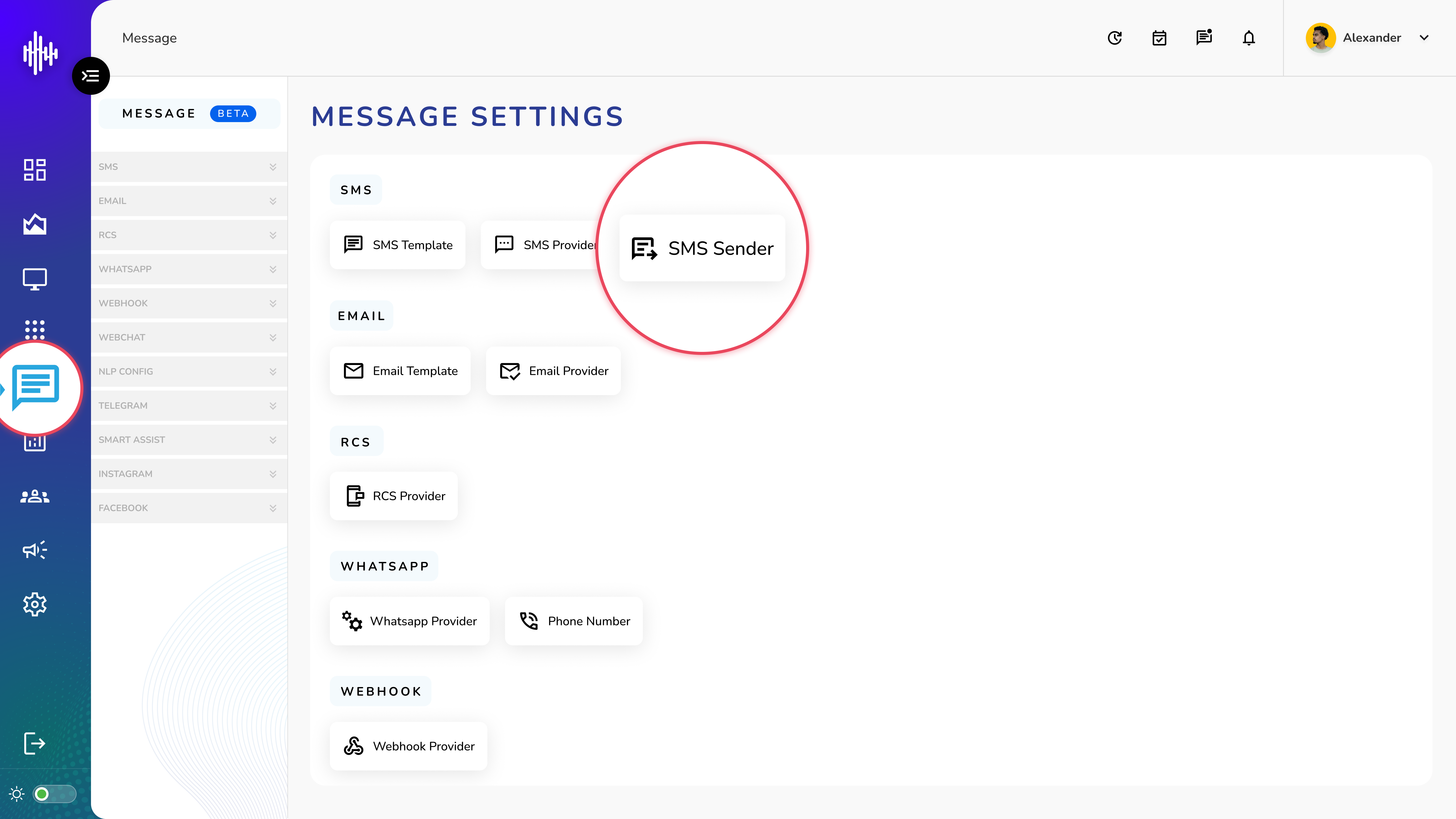
1. Login to your admin account
2. Click "Message" from the left side menu
3. Click “SMS Sender” to access the SMS Sender's details.
SMS Sender Management
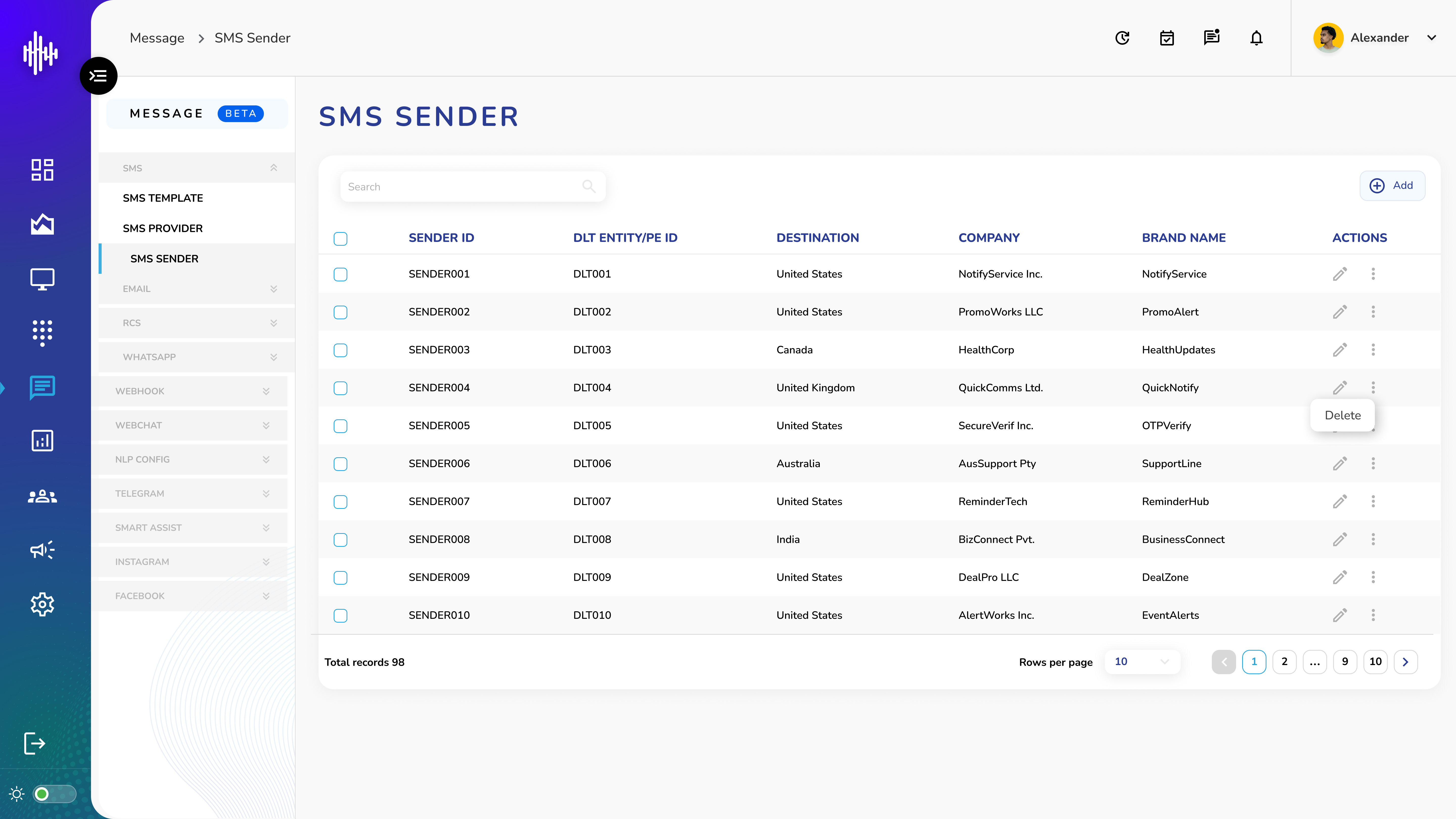
1. SMS Sender Screen Elements
| Field | Description |
|---|---|
| Header | Request headers (Key-Value) |
| Body | Request body params |
| Filter Key | Response filter key |
| Filter Value | Filter value |
2. List Features
a. Top Bar
i. Search functionality
ii. "+Add" button for new senders
b. Available Actions
i. Pencil Icon: Edit configuration
ii. Three Dots: Delete sender
3. Navigation
a. Adjustable rows per page
**b.**Pagination controls
**c.**Total records shown
Important Notes:
-
Verify DLT registration
-
Maintain unique sender IDs
-
Update company details
-
Regular compliance checks
Add SMS Sender Guide
1. Required Fields
| Field | Required | Description |
|---|---|---|
| Destination Country | * | Target country |
| Sender ID | * | Unique identifier |
| DLT Entity/PE ID | * | DLT registration ID |
| Registered Company Name | * | Business name |
| Brand Name | * | Marketing identifier |
2. Actions
a. CANCEL: Exit without saving
b. ADD: Create sender
Important Notes:
-
All fields marked * are mandatory
-
Country-specific rules apply
-
DLT registration required
-
Brand name must match records