Email Template
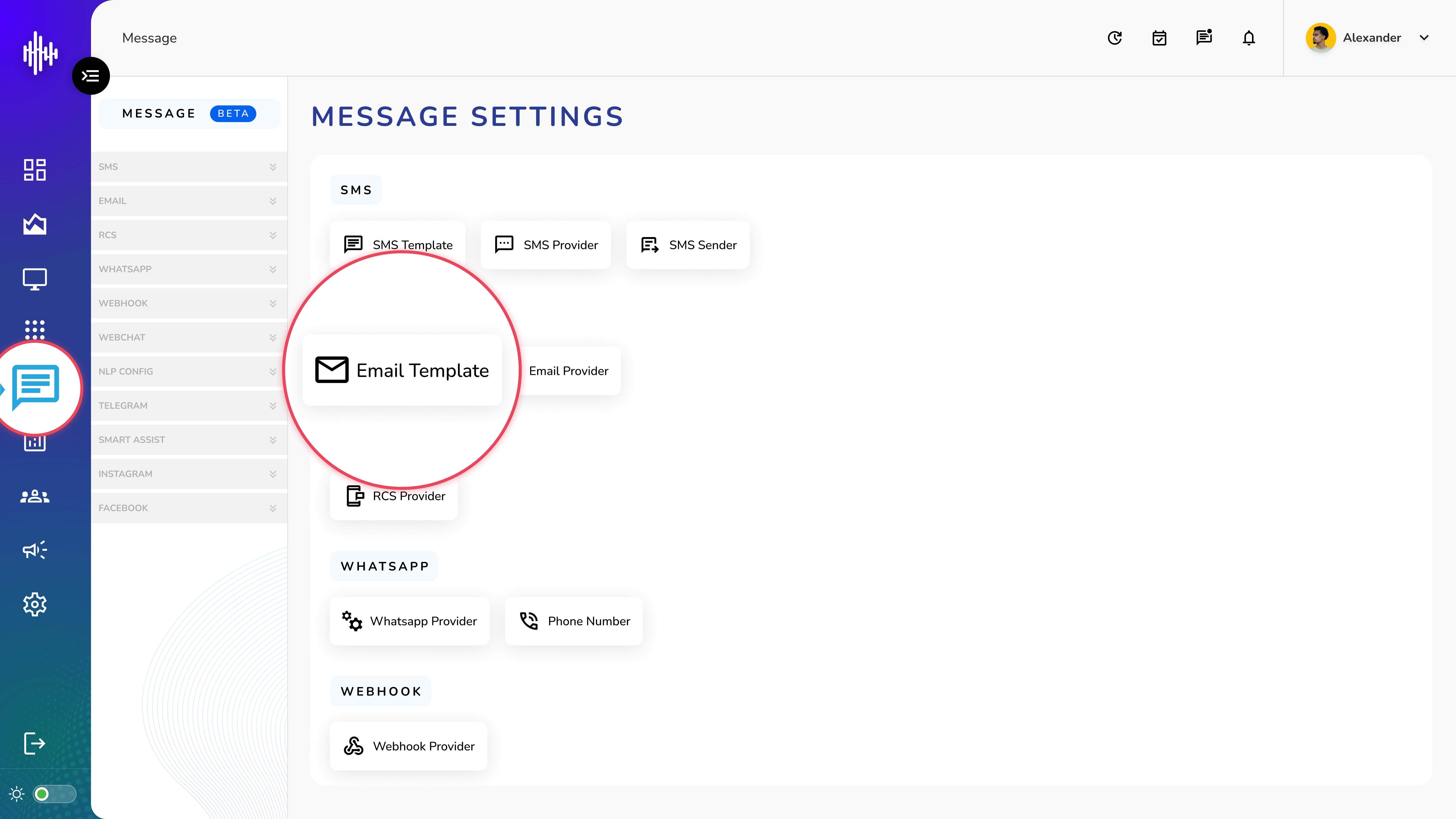
1. Login to your admin account
2. Click "Message" from the left side menu
3. Click “Email Template” to access the Email Template's details.
Email Template Management
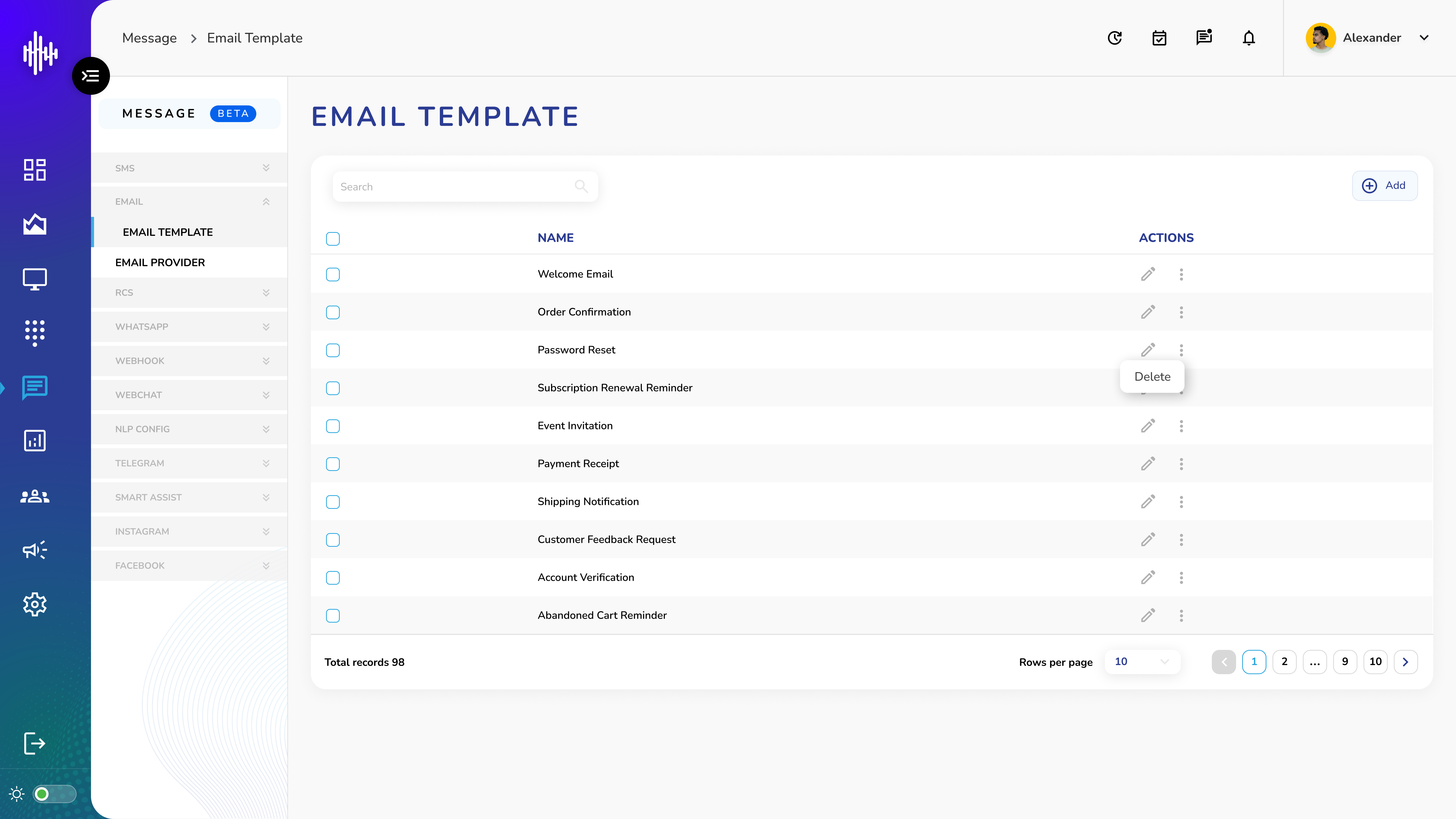
1. SMS Template Screen Elements
| Column | Description |
|---|---|
| Name | Template identifier |
| Actions | Edit/Delete controls |
2. List Features
a. Top Bar
i. Search functionality
ii. "+Add" button for new templates
b. Available Actions
i. Pencil Icon: Edit configuration
ii. Three Dots: Delete template
3. Navigation
a. Adjustable rows per page
b. Pagination controls
c. Total records shown
Important Notes:
-
Use clear template names
-
Regular template updates
-
Test before deployment
-
Monitor template usage
Add Email Template Guide
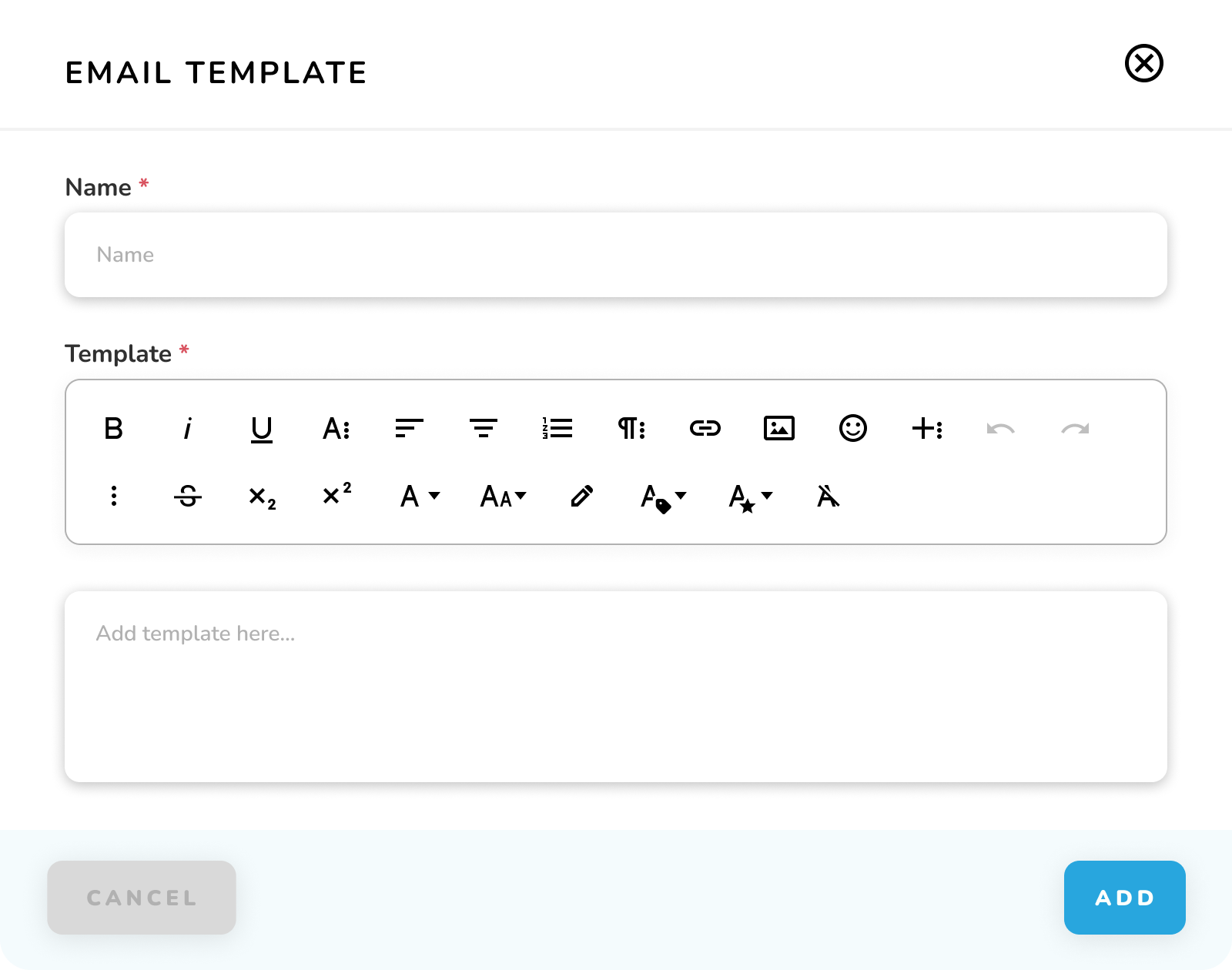
1. Required Fields
| Field | Required | Description |
|---|---|---|
| Name | * | Template identifier |
| Template | * | Email content |
2. Text Editor Features
a. Basic formatting (Bold, Italic, Underline)
b. Text alignment options
c. List formatting
d. Link insertion
e. Image embedding
f. Emoji support
g. Font size/style controls
h. Undo/Redo
3. Actions
a. CANCEL: Exit without saving
b. ADD: Create template
Important Notes:
-
Use consistent formatting
-
Test template rendering
-
Include placeholder variables
-
Optimize for mobile view