Mulesoft Integration User Guide
Mulesoft Integration Technical Documentation
1. Introduction
This technical documentation provides comprehensive information about the Mulesoft integration implementation within the StreamSpace platform. The document covers the configuration process, technical specifications, and operational procedures required for successful implementation.
2. System Overview
The Mulesoft integration in the StreamSpace platform enables seamless data communication and process automation between various system components. This integration is accessible through the platform's Flow Edit interface and provides robust API management capabilities. The system comprises multiple components including contact management, message handling, and data transfer mechanisms, all orchestrated through a unified interface.
3. Configuration Setup
3.1 Accessing the Integration Flow
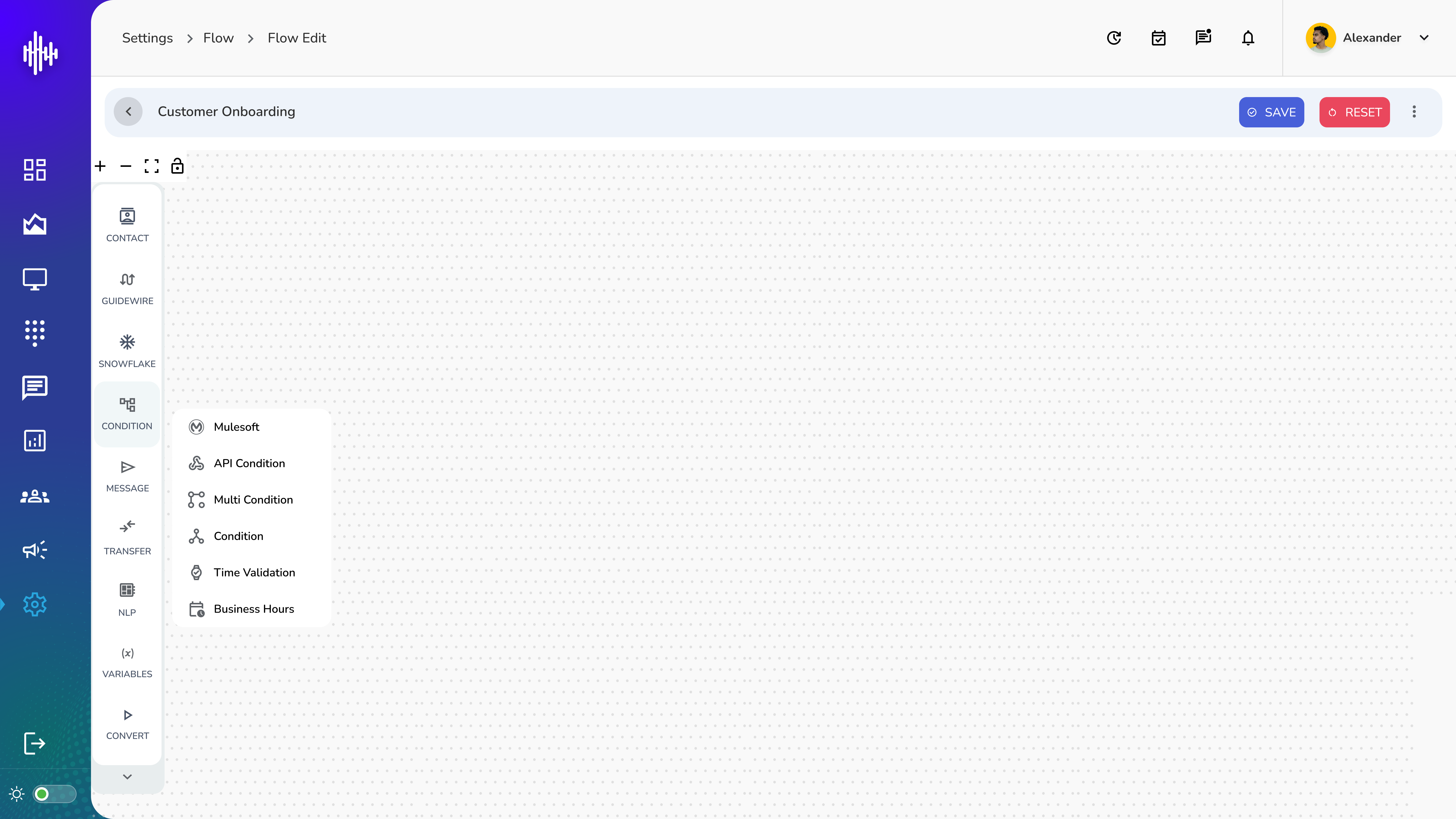
To initiate the Mulesoft integration setup:
- Navigate to the Settings section in the StreamSpace platform
- Select "Flow" from the navigation menu
- Access "Flow Edit" to begin the integration configuration
- The left sidebar provides access to various integration components including:
- Contact
- Guidewire
- Snowflake
- Condition Management
- Message Handling
- Transfer Controls
- NLP Processing
- Variable Management
- Conversion Tools
3.2 Integration Node Setup
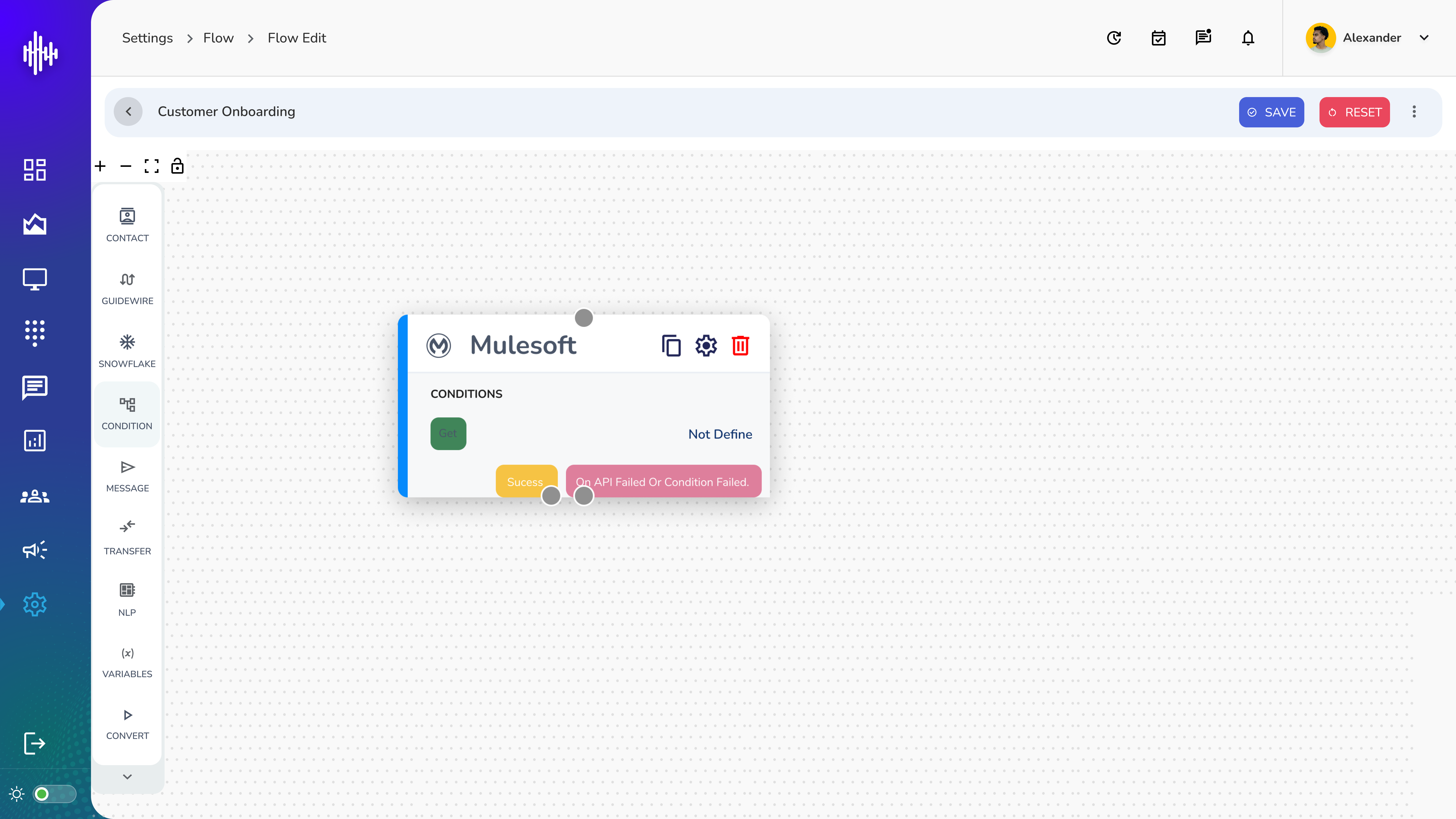
The Mulesoft integration node provides the following features:
- Message sending capabilities with success/failure status indication
- Configuration options through the settings gear icon
- Integration flow visualization with connection points
- Action controls for copying, editing, and removing the integration node
3.3 Configuration Interface
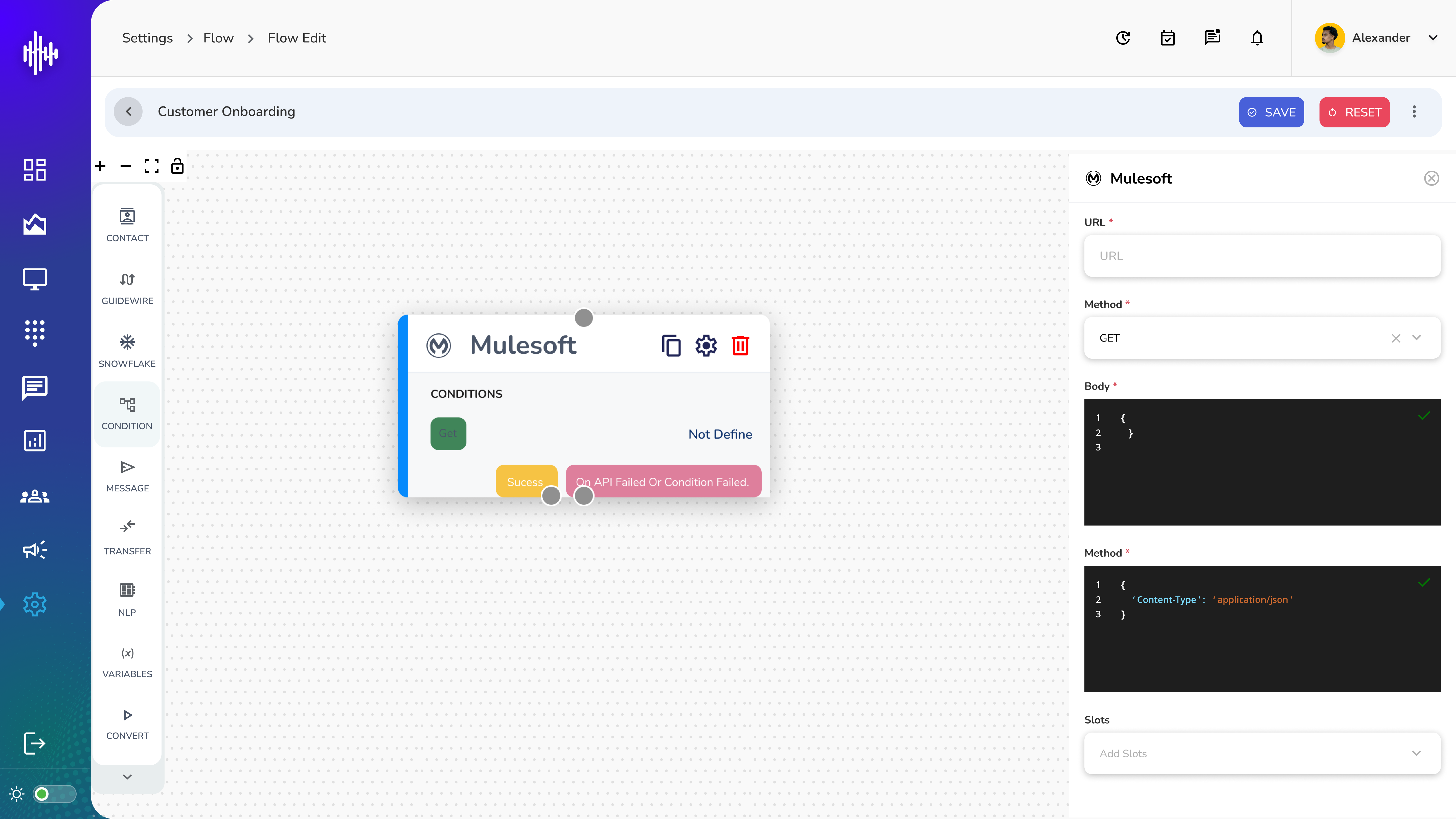
The Mulesoft configuration popup window includes:
- URL Configuration:
- Required field for endpoint specification
- URL validation and formatting checks
- Method Selection:
- Default GET method option
- Support for various HTTP methods
- Request Headers:
- Content-Type specification (application/json)
- Custom header configuration options
- Slots Management:
- Configurable data slots for integration mapping
- Dynamic slot addition capabilities
4. Technical Specifications
4.1 API Requirements
- Protocol: HTTP/HTTPS
- Content-Type: application/json
- Authentication: Bearer token
- Response Format: JSON
4.2 Data Format
{
  "Content-Type": "application/json"
}
5. Integration Flow
5.1 Process Flow
-
Initialization
- Node placement in the flow
- Basic configuration setup
-
Configuration
- URL endpoint specification
- Method selection
- Header configuration
- Slot mapping
-
Execution
- Message processing
- Response handling
- Status monitoring
5.2 Error Handling
- Success/Failure status indication
- Error logging capabilities
- Retry mechanisms
- Fallback procedures
6. Troubleshooting
6.1 Common Issues
-
Connection Failures
- Check URL configuration
- Verify network connectivity
- Validate authentication credentials
-
Integration Errors
- Verify data format
- Check API endpoint availability
- Review error logs
6.2 Resolution Steps
- Systematic error identification
- Configuration validation
- Log analysis
- Connection testing
7. Best Practices
7.1 Configuration Guidelines
- Use secure HTTPS endpoints
- Implement proper error handling
- Follow naming conventions
- Maintain configuration documentation
7.2 Performance Optimization
- Minimize response times
- Implement caching where appropriate
- Monitor integration health
- Regular maintenance and updates
Appendix
A. Version History
- Version 1.0: Initial documentation release
- [Future versions to be added]
B. Reference Materials
- StreamSpace Platform Documentation
- Mulesoft API Documentation
- Integration Standards Guide